
Scraps
A robot character, Blender master and collection of visual experiments.
Scraps lives in the workshop: a character to build, pose and bring into new scenes, and a good excuse for visual experiments.
Vision and editorial draft for the lab. The character and existing production assets are real; future appearances below describe where I could take him.
Scraps has a piece of duct tape on the corner of his monitor head. His antenna is a bent coat hanger. One hand is a mitten, the other is an industrial clamp, and his default expression suggests he has already heard the explanation and would like a better one.
He is the robot character I’m developing as my personal AI assistant and video explainer. He has a dry wit and looks like he has work to do. Someone who can stand next to a diagram without looking delighted merely because the diagram exists.
There is a lot of technology behind him. The first job, though, was giving him a personality you could recognize before he said anything.
Under the personality is a proper Blender master. It has a poseable 12-bone rig, and the face sheet has 14 display states: expressions, talking states and explainer symbols.
Below are Scraps v3 rendered from the Blender character master (AI-assisted character production, directed by Joaquin) and the sheet of his fourteen display states.
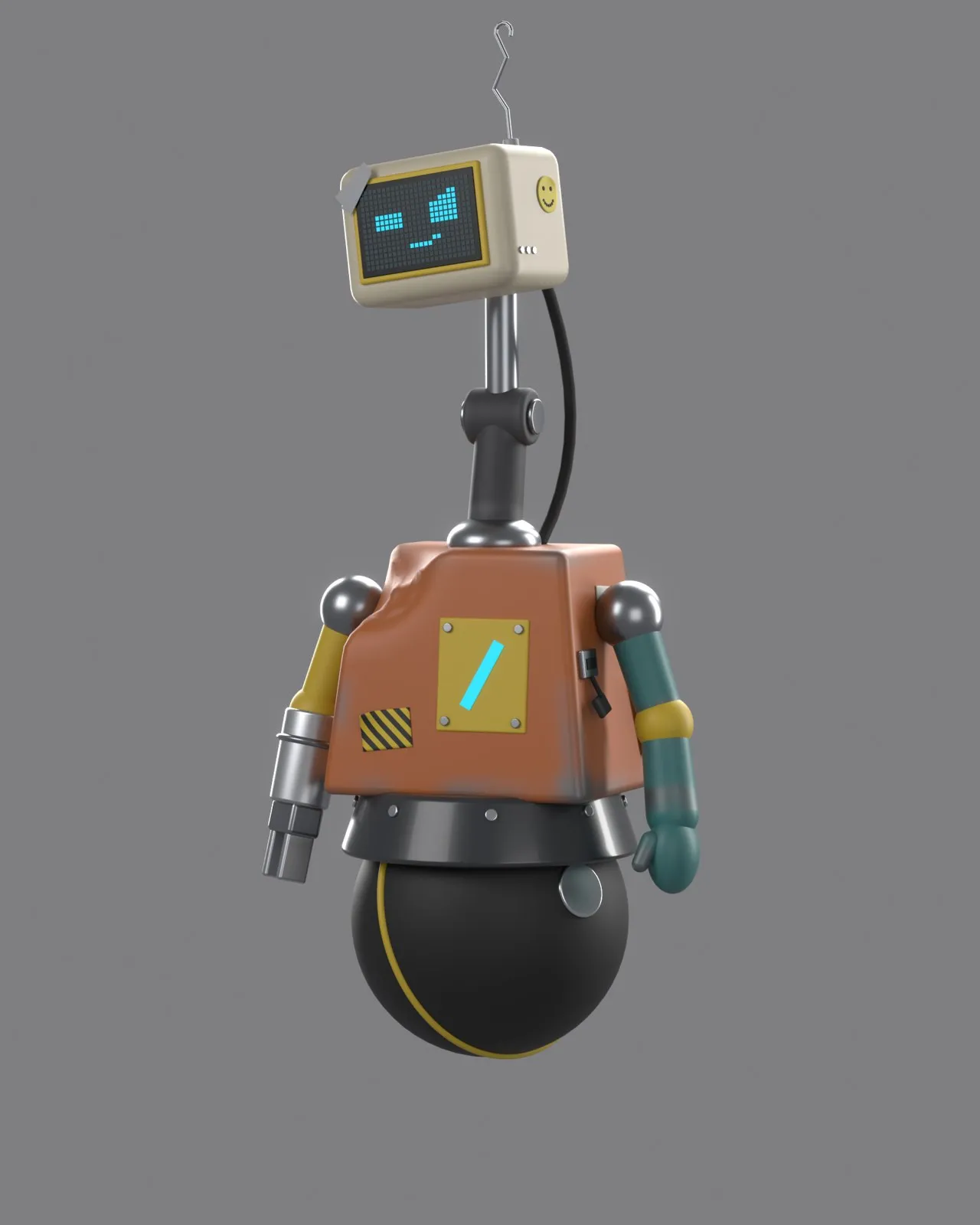 Open full size: Scraps v3 render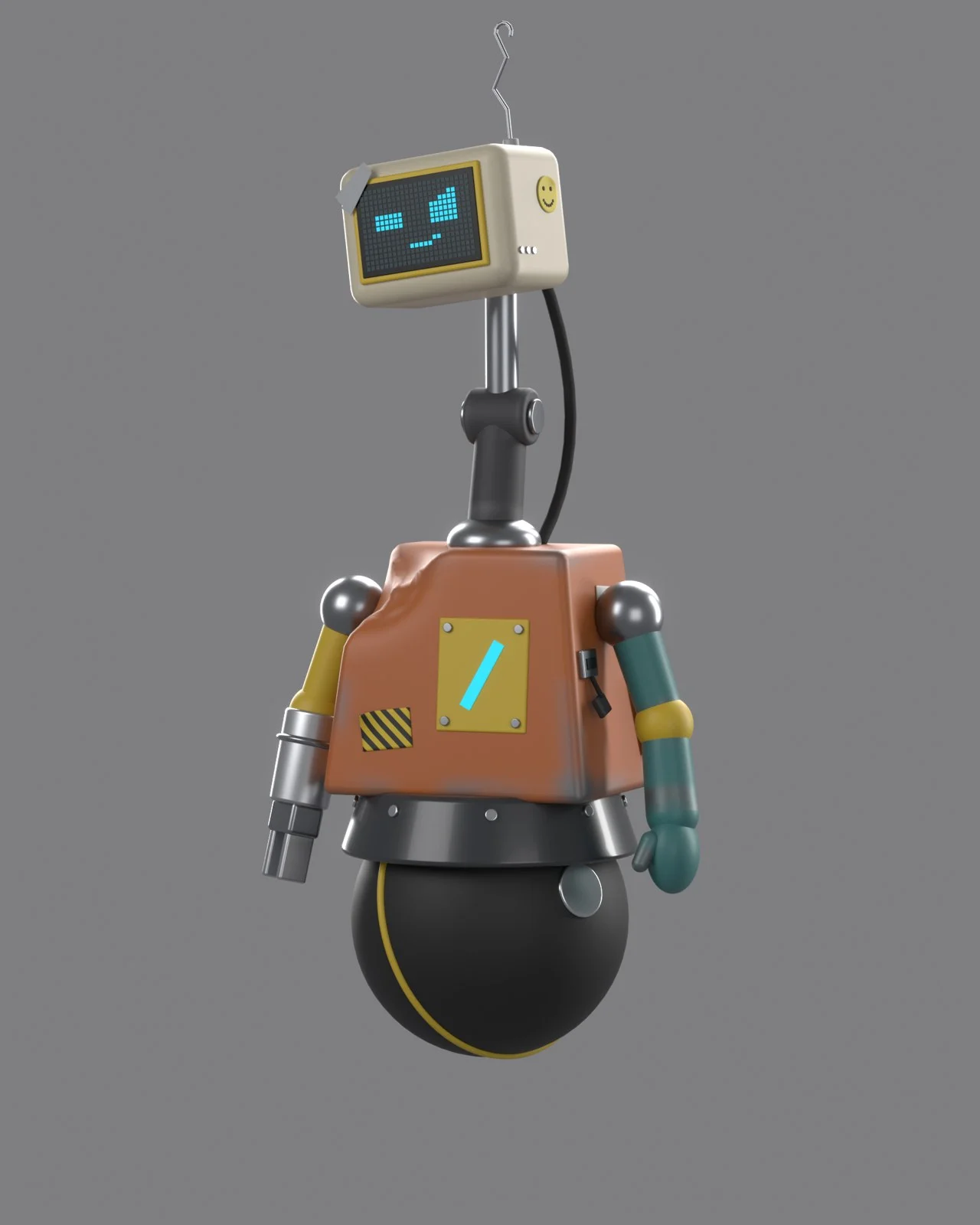
Scraps v3, rendered from the Blender character master. AI-assisted character production, directed by Joaquin.
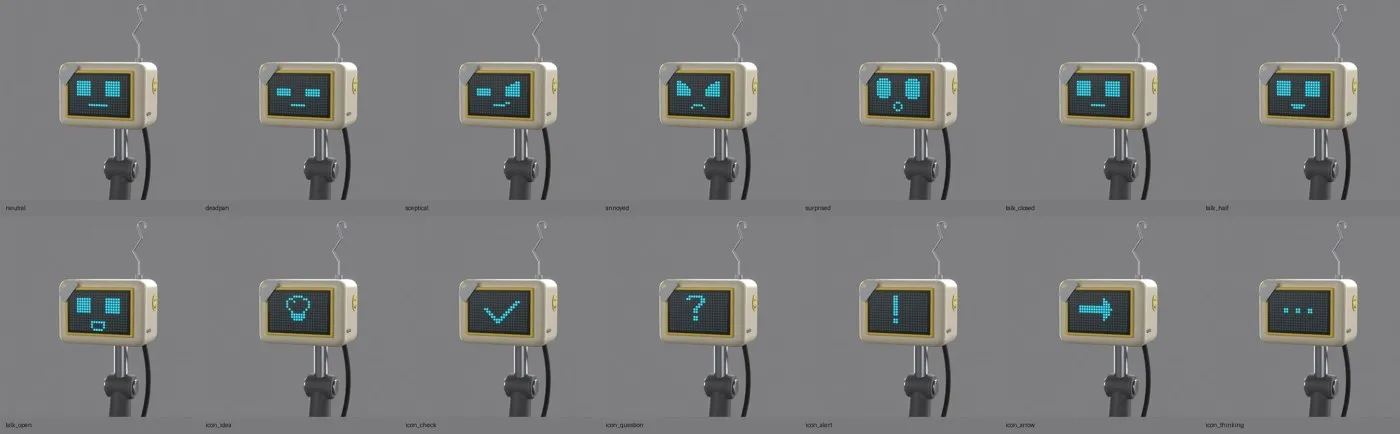 Open full size: Scraps display states sheet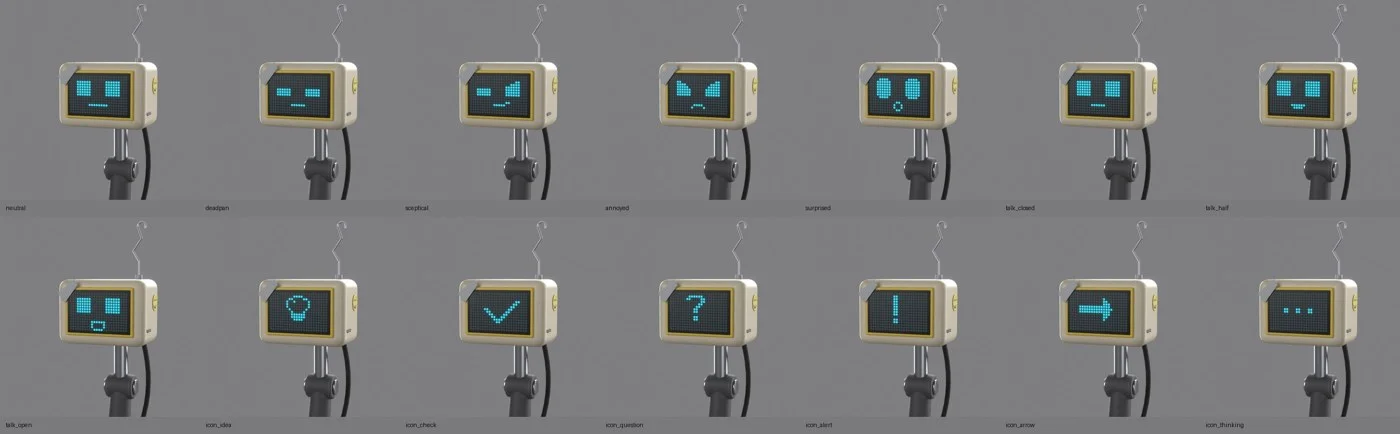
Fourteen display states rendered from the Blender master. The same head can carry an expression or become part of the explanation.
Built from parts that disagree
His shape starts with a worn box of a body above a clean black ball. A bolted skirt joins the two. The ball has a yellow seam and visible plugs, details that give the eye something to follow when he rolls.
Above the body, his neck is a monitor arm. You can see the sleeve, the hinge and the rods holding the head. A cable runs up into the back. His head is an actual object with a mount and some weight to it, which gives a head tilt something to do.
The arms come from different visual families. His left arm is teal, with a mitten hand from an older robot. His right arm has industrial-yellow parts, a bare-metal forearm, a hose clamp and a two-jaw grip. They suggest different uses and different histories. A wave from one hand and a point from the other would feel different.
The body carries its own collection of repairs: a crumpled corner, a replacement front panel, a bolted plate, an asset tag starting to peel away. The faded safety orange sits against the retro beige of the head and its yellow bezel. There’s a smiley sticker on the monitor and a half-peeled hazard sticker lower down.
I want those details to look accumulated. Somebody has kept this thing going. Some parts belong together; others have reached an agreement.
I haven’t settled the body’s origin yet. There is room for that story later. For now, the design tells you enough: he has been assembled, repaired and given another job.
The first version was only the beginning
Scraps went through three versions to reach this master.
The first had violet accents, a thin wedge-shaped head and bar eyes. His surfaces had no wear. That version still exists, with its own model and reference renders, so the starting point remains available to compare.
Version two established much of the character’s construction: the worn body, the monitor head and armature neck, the mismatched arms, the black ball and the cyan screen. It also gave him an attitude pose and a skeptical face. His identity was becoming something I could direct rather than just describe.
Version three kept that foundation and added the color and specific bits of character. The orange body, beige monitor, teal arm and yellow replacement parts made the mismatch much more visible. The tape, stickers and coat-hanger antenna pushed it further.
A clean render can explain a shape. Those small additions make me want to know the character. The tape raises a question the pristine casing never did. The smiley sticker is particularly good company for that expression.
A face I can actually direct
Scraps’s face is a cyan pixel display. It can be neutral, deadpan, skeptical, annoyed or surprised. He also has three talking states, from closed to open, plus a set of symbols for explaining things: an idea, a check, a question, an alert, an arrow and a thinking state.
That gives me a useful little vocabulary. A question mark can introduce an uncertainty. An arrow can point out a connection. A skeptical look can hold for a beat while the narration catches up with something the viewer has probably noticed already.
The expression belongs to the screen, so I can change it without rebuilding the head. A character with a screen for a face ought to make that advantage count.
Technical detailThe Blender master: rig, display states and reference views
Behind the face is a Blender model with a poseable skeleton. The rig has twelve bones covering the root, ball, body, neck, head and both arms. I can tilt him, turn his head and move the hands while keeping the parts attached to the same character.
- Rig: 12 bones. Root, ball, body, neck, head and both arms.
- Display states: 14. Five expressions (neutral, deadpan, skeptical, annoyed, surprised), three talking states, and six explainer symbols (idea, check, question, alert, arrow, thinking).
- Reference views: front, back and sides, a three-quarter view, a full-body attitude pose and a face close-up.
- Versions: v1 to v3. The first version still exists, with its own model and reference renders.
These are the practical ingredients for using him repeatedly. I have something to return to when I want another shot.
The tools around the master are on the Tech Stack page.
ProcessTaking him out of the gray studio: generated scenes and video tests
The Blender renders establish Scraps on a plain background. The next part was seeing him somewhere.
The existing generated stills take three directions: a personality infographic, a shot of him presenting an idea, and a Metropolis-style city. They put the same character into different kinds of image. One introduces him, one gives him a job, and one lets the world get larger around him.
There are video tests too, generated with Seedance through Higgsfield. The workshop was the strongest of the first three settings. It gives his patched construction somewhere to belong: a place where an odd tool or a replacement part doesn’t need an introduction.
The still below is a generated scene, not a Blender render.
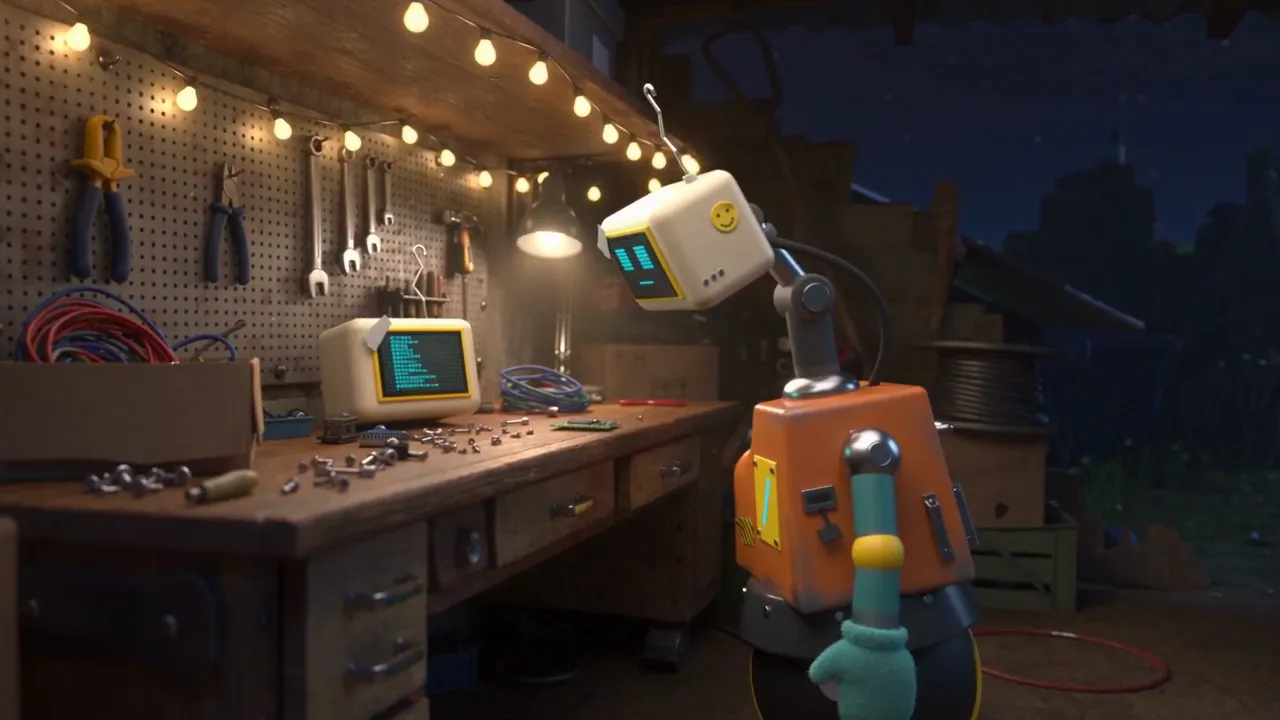
To carry his identity into those images and clips, I use views of the v3 master as references. The head, mismatched arms, body panel and ball form a recognizable set. The references give the generator more to work with than a fresh description of a robot each time.
Framing matters as much as the description. Scraps needs his whole body in the shot, including the ball. His screen needs something he can plausibly face. Those are character-direction choices: where he looks, how he sits in the scene, what a viewer needs to see to understand him.
The Blender master gives me precise poses and display states. Generated illustrations and video let me explore settings and situations around him. I’m interested in the conversation between those two ways of making the image.
An operator inside the explanation
A lot of my work is about connecting things: agents, tools, records, decisions, the machinery behind a finished result. Scraps gives me a character who can move through those explanations.
He could follow a task through the larger system, inspect a component, or present a connection while a diagram builds beside him. His screen could carry the same symbol as a highlight in the scene. He could also appear briefly, make a point with a look, and get out of the way.
That last part matters. An explainer character needs to help the explanation. He doesn’t need to host every sentence.
There is plenty left to explore: more poses from the master, a sequence that begins with an exact Blender frame, a fuller workshop, the body’s history. I can see him becoming familiar across different videos while the subject changes around him.
For now, I have a character with a model, a set of expressions and somewhere to stand. He’s wearing a smiley sticker and looking unconvinced. That seems like a useful place to start.