
PickYourModel
An AI model catalog designed like a video-rental store.
The video store stocks AI now
The tapes have names like Claude and Gemini. The shelves have staff picks, new arrivals and a bargain bin. There is a manager on duty, although I would be careful about asking the manager for life advice. The manager is called The Algorithm.
This is PickYourModel, my video-rental store for AI models. Behind the boxes and the signs is a practical tool: browse a catalog, understand the basic differences, compare a few choices, and leave with a shortlist. “Rent” means pick. No membership, no payment, no mysterious charge for forgetting to rewind a language model.
The info on each box (price, capabilities and context size) comes from OpenRouter’s public catalog. The tier badge is my own derived signal, worked out from that catalog data. It isn’t a benchmark.
I built it for two reasons. Choosing an AI model is confusing, and I wanted to make the choices easier to approach. I also wanted to learn how far I could take an idea with AI helping me build it. A video store sounded like more fun than another dashboard. That was enough of a reason to start.
Below is a design concept for the store. It shows the intended look, not the live catalog, and the sample catalog details in it are illustrative.
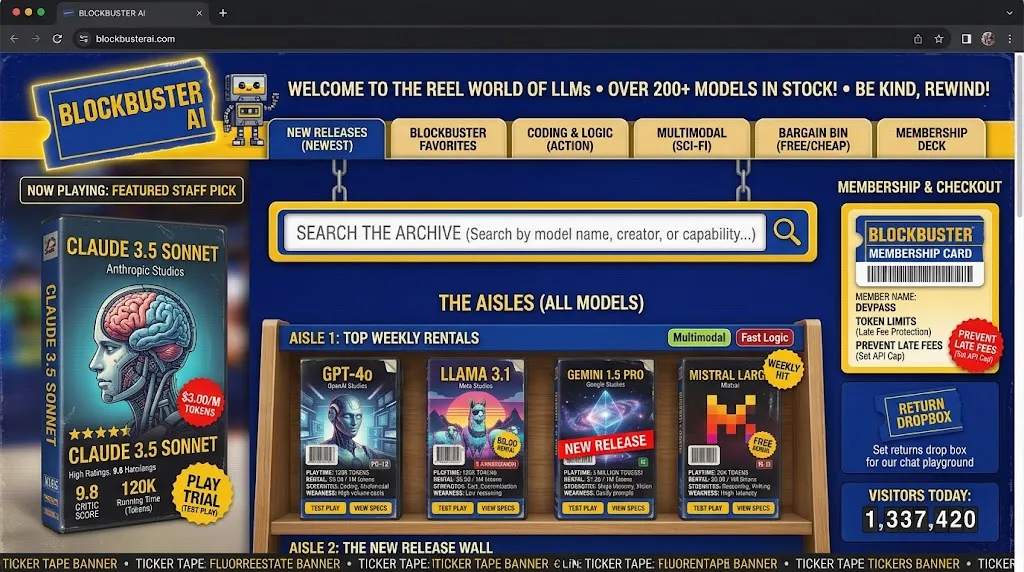
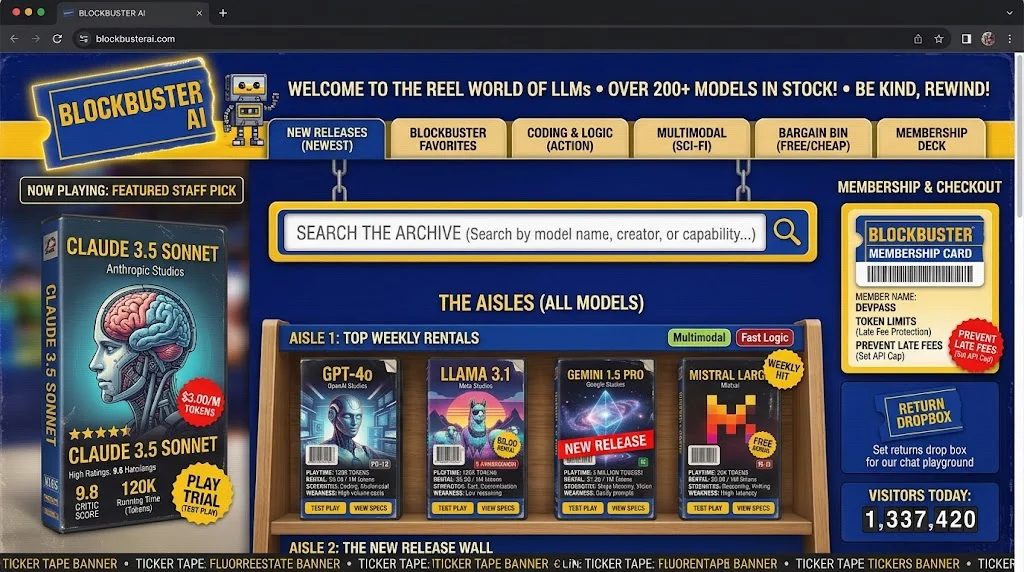
A familiar place for an unfamiliar choice
If you follow AI closely, model names accumulate meaning. You know which company made one, what its smaller sibling is for, and why somebody is excited about a new release. If you don’t follow it closely, you get a wall of names, prices and abbreviations. You are trying to answer a fairly ordinary question: which of these should I try for the thing I need to do?
The store gives that question somewhere to go. Browse an aisle. Look at a box. Open the details when something catches your attention. Use the guided picker if you would rather begin with your task than a model name. Compare a few candidates side by side when the choices start looking similar.
A video store is useful here because it already has a way of organizing abundance. The shelves help you narrow things down. The cover gets your attention. The information on the box helps you decide whether to take it home. You can recognize the browsing pattern before you understand the technology on the shelves.
I wanted the site to have that feeling of discovery. There should be room to wander, find something unfamiliar and make a choice without first becoming an AI industry analyst.
What is on the box
Each model has information drawn from OpenRouter’s public catalog. OpenRouter brings models from different providers into one catalog, which gives the store a useful common source. The details include pricing, capabilities and context size: roughly, how much material a model can work with in a conversation or request.
Those details matter in different combinations. Someone working with long documents has a different problem from someone looking for an inexpensive model for repeated small tasks. A model’s ability to handle images may matter a great deal for one job and not at all for another. The comparison helps make those differences visible.
The tier badge is my own derived signal. It considers recency, context size and the relative rarity of capabilities in the catalog. It isn’t a benchmark, and it doesn’t tell you which model writes the best novel or understands your business. Price stays separate. An expensive model doesn’t earn a better rating just because it is expensive.
Once you have a few candidates, you can save a lineup of three and share its link. The lineup gets its own page and preview card, so the selection can travel outside the store. That turns browsing into something you can send to another person: here are the three I’m considering.
A closer design concept of the same store: the intended video-store style, not a live catalog or a pricing reference.
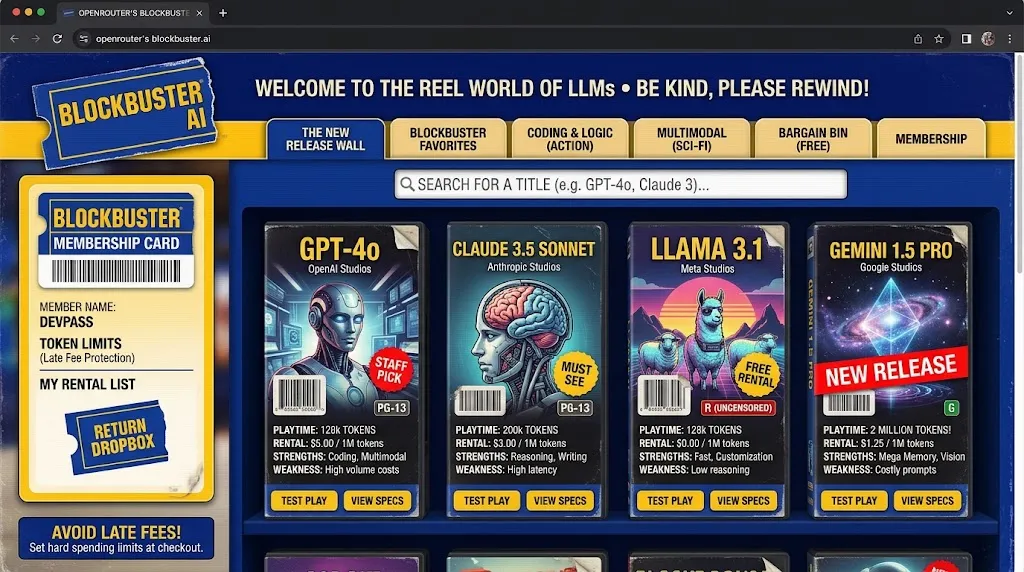
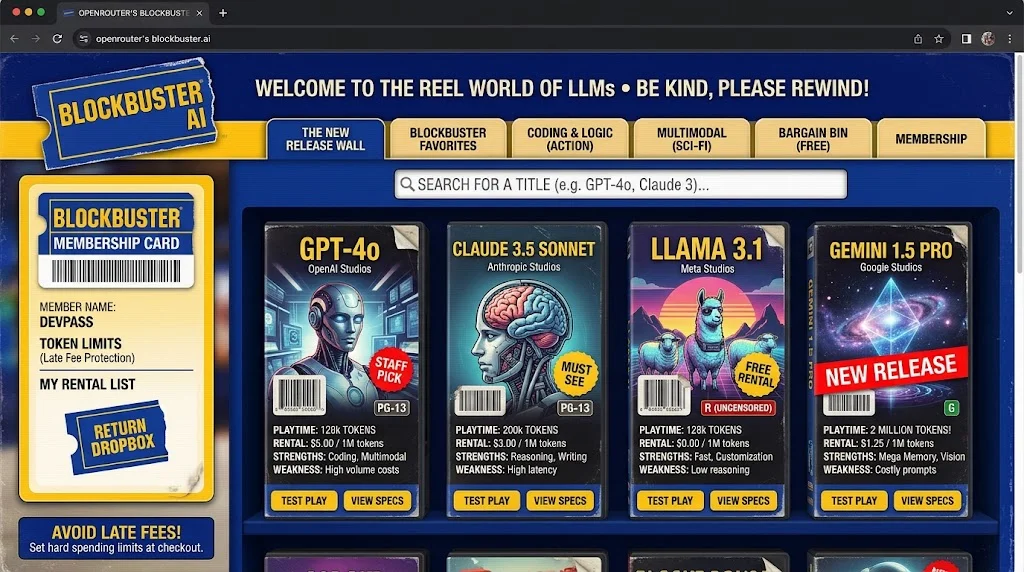
Keeping the bit honest
A rental store comes with a dangerous supply of decorative numbers. Box-office rankings. Popular tapes. Limited copies. People supposedly browsing right now. It is very easy to make a page look busy before anybody has used it.
I decided that real numbers had to come from real data. Anything invented for the atmosphere had to identify itself as part of the joke. That meant removing fabricated activity and scarcity rather than using them to dress the place up. An empty store can be an empty store.
The same decision affects less conspicuous copy. If the catalog is refreshed on a schedule, the site shouldn’t say it updates every second. If a rating is calculated from catalog attributes, the badge shouldn’t pretend somebody ran a laboratory test. The freshness information belongs somewhere a visitor can check it.
The rental language also needs to stay understandable. Selecting a tape doesn’t buy access to an AI service. The fictional late fees are fictional. The site is an independent project, built by one human with a lot of AI help. The personality works better when I don’t have to explain away what it implied.
ImplementationBehind the shelves: the front end, the catalog and the database
The front end is built with React and TypeScript. Vite packages the application, and Tailwind handles much of the styling. In ordinary terms, that is the part that puts the shelves on the screen and responds when you search, open details or build a lineup.
The catalog has its own path into the store. A scheduled server-side job refreshes the shared catalog data. The browser uses cached information so the experience doesn’t depend on rebuilding the entire inventory for every visit. Saved lineups and the store’s activity records live in Supabase, the database service behind those features.
The browser isn’t given permission to change whatever it likes. The design uses database access rules and specific functions for the permitted community actions. Sharing adds another small piece: a request for a lineup can produce the preview information a chat app needs, including an image of that lineup.
I enjoy this part of the project as much as the storefront. A person clicks a button and gets a page worth sharing. Making that simple action hold together involves the interface, the stored selection, the address and the preview. Each piece has a job. The visitor shouldn’t need to meet all of them.
Each tool, and what the lab’s pages say about how it is used, is on the Tech Stack page.
ProcessBuilding a place, with AI: the build and the art pipeline
The project began with a Bolt.new scaffold. Claude Code and other AI agents helped with implementation and reviews as it developed. I set the direction, made the product decisions, judged what came back and kept working through the details. The idea, the experience and the responsibility for the result are mine.
The artwork was another part of the build. Leonardo.ai helped create the store imagery. The tape boxes are generated procedurally. The opener combines a short Higgsfield-generated shot with authored motion graphics, plus original music and tape sounds made with ElevenLabs. The rental-store references are affectionate; the artwork and audio were made for this project.
Small decisions carry a surprising amount of the experience. The signs, ticket shapes, box art and sound all contribute to the same place. An opener needs to invite you in without preventing you from getting to the shelves. It also needs to arrive sensibly on a phone. Editing the video and preparing its delivery became their own piece of work, with browser behavior and file size sitting alongside the creative choices.
I used adversarial AI reviews along the way: different models challenged the plan and the implementation. They helped expose problems, but agreement between models didn’t settle a question. The code still had to support the conclusion. That is part of how this project connects to my wider AI workshop: I can use the assistants for substantial work while continuing to make and check the decisions myself.
The next aisle
PickYourModel gives me a product to keep improving and a place to try ideas with an actual purpose. The next interesting work could be making the picker more useful to someone arriving cold, making comparisons easier to understand, or showing more clearly why a particular tape earned its place on a shelf. Those are directions to explore, rather than promises of a release date.
I also like the possibility of letting people carry a little more of the store away with them: a lineup, a useful comparison, perhaps a badge. The useful question is whether it helps someone make a choice or gives them something worth sharing.
For now, the attraction is still the original one. There is a bewildering amount of AI on offer. I wanted a place where you could walk down an aisle, pick up a box and have a look.